A goal that adapts to you
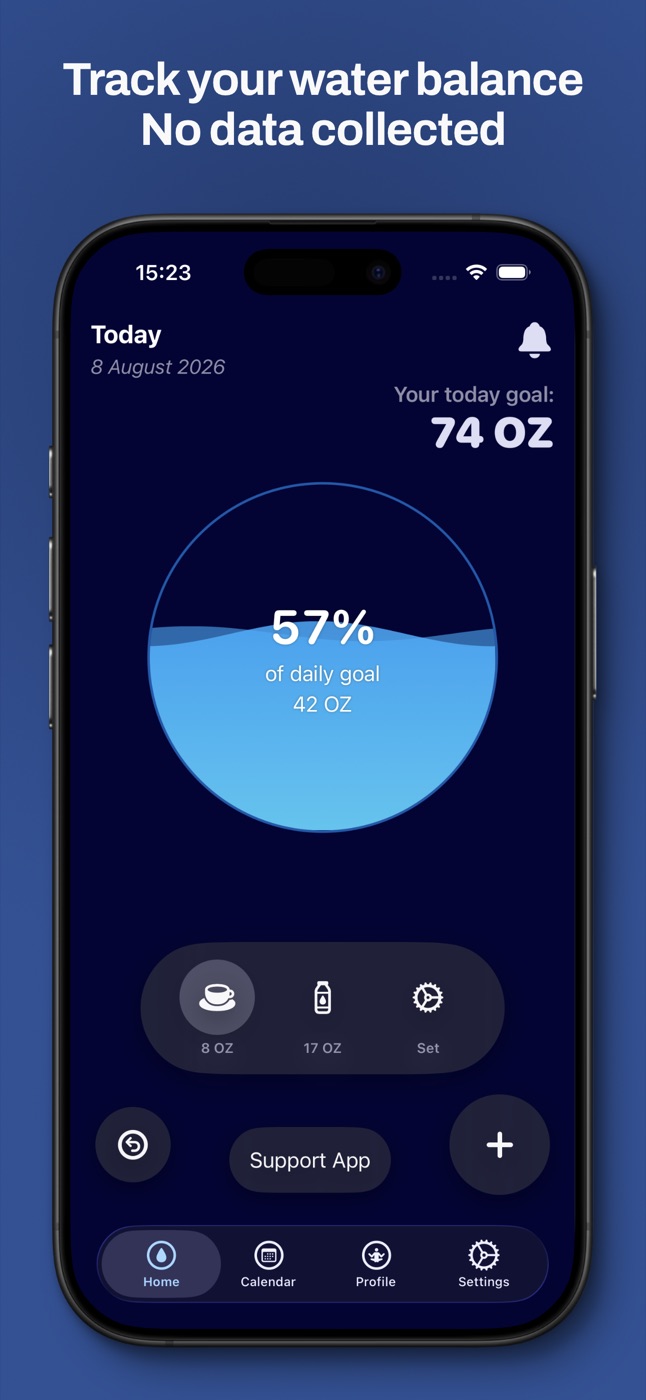
WaterTotter calculates your daily target from your age, height, weight, activity and climate — warmer days and busier days mean a bigger glass. Or set your own goal by hand.
A tiny, private water tracker with gentle reminders. No ads, no account, no data collected — just you, your glass and a goal that fits your day.
Features
WaterTotter calculates your daily target from your age, height, weight, activity and climate — warmer days and busier days mean a bigger glass. Or set your own goal by hand.
Daily and weekly history with a calendar that shows how close you got to your goal each day.
Log a glass from your wrist and keep progress in sight with complications.
Your water intake can flow into Apple Health — only if you allow it.
See how full today's glass is right on your Home Screen.
Flexible intervals, your own start and end times and a sound you actually like.
Customize colors for light and dark themes and pick your own background.
Metric or imperial, milliliters or ounces — whatever you think in.
Screens
Free forever
Every feature in WaterTotter is free. If it helps you drink more water, you can leave an optional tip in the app — it keeps an indie developer hydrated with coffee.
What's new
Support
Yes. There are no subscriptions, no paywalls and no ads. The only in-app purchases are optional tips that unlock nothing — they simply support development.
None. Your logs and settings stay on your device, and water intake is only shared with Apple Health if you turn that on. Read the full Privacy Policy.
With Auto Calculate on, WaterTotter uses your age, height, weight, sex, activity level and climate. Prefer your own number? Turn Auto Calculate off and set the goal with the − / + buttons.
Yes — there's a Watch app with complications (watchOS 10.6 or later). WaterTotter also runs on Macs with Apple silicon.
Make sure notifications are allowed for WaterTotter in iOS Settings, check that a Focus mode isn't silencing them, and confirm the reminder interval and start / end times in the app.
Send an email with your device model, iOS version and what happened. A screenshot helps a lot. Every message gets read.